 Solidus
 For private investors
Your portfolio, clear. Your data, yours.
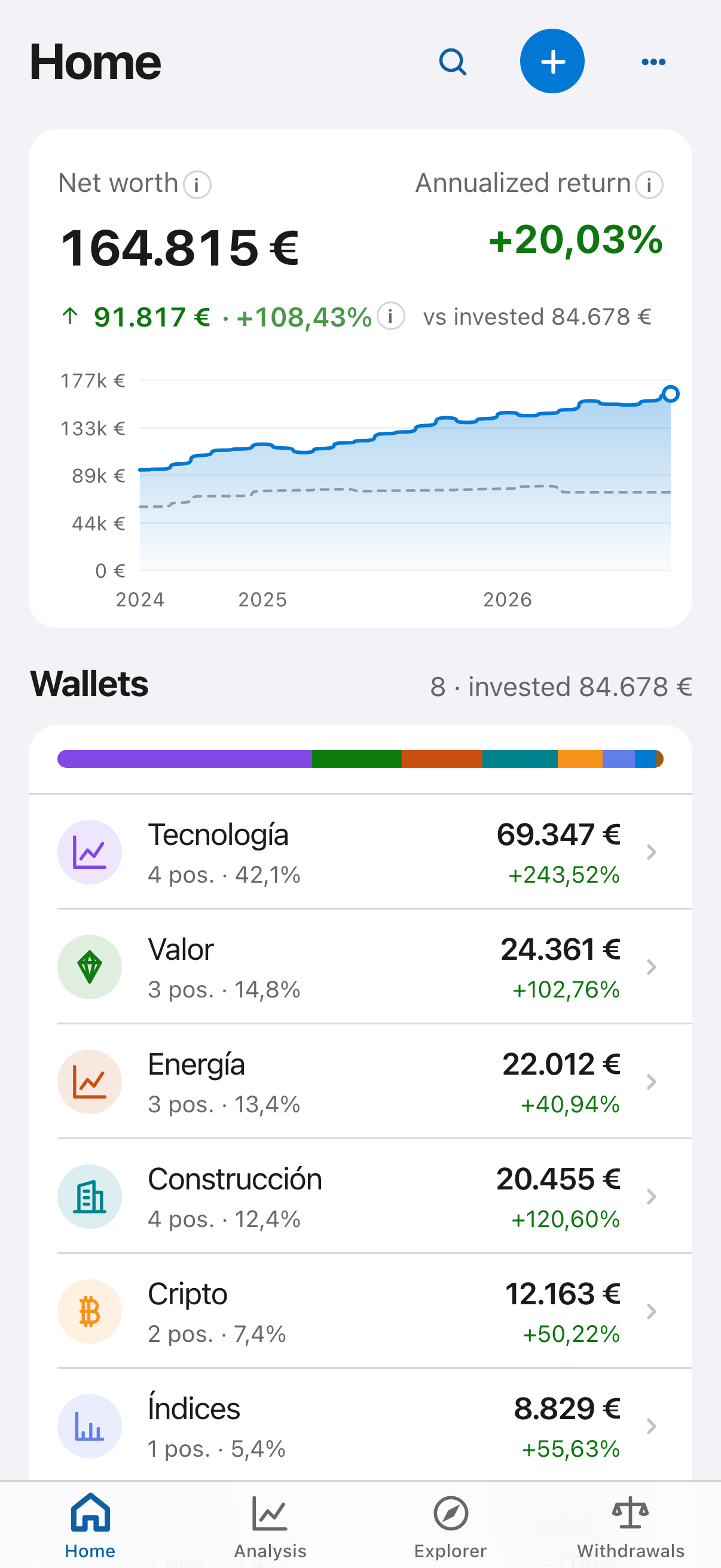
Solidus has a very powerful graphical interface, built so information comes out clearly and simply. Follow all your investments in one place, import your history from Microsoft Money or Quicken and simulate how your portfolio will look. No ads, and your data is encrypted.

Screenshots use sample data.
Powerful inside, simple outside
Built for investors with several portfolios and several brokers who want to see everything clearly without spreadsheets. At last, everything you need in one place.
A powerful yet simple graphical interface
Built so information comes out as clearly as possible. Open the app and see how your portfolio is doing, without any courses or complicated setup.
Works with Microsoft Money and Quicken
Import QIF files (Microsoft Money, Quicken), files in Yahoo Finance format or custom CSV files: a powerful recognition engine helps you import them. Or start from scratch or with sample data.
Every metric, in detail
Annualised return, performance over time, breakdown by portfolio, asset and sector, and benchmark comparison. Everything to analyse in depth.
Simulate your future portfolio
Pick a date and some future prices to see what your portfolio would look like.
Multiple holders
Manage portfolios for different holders in the same app, for example yours, your partner's or your family's.
Select your data source
Choose the data source to download up-to-date prices from, or enter them manually.
Icons with Brandfetch
Optionally, connect Brandfetch to show each symbol's icon and recognise your assets at a glance.
Best on desktop
The recommended experience is the desktop app, unlocked with Pro. You also get the iPhone app, kept in sync through an end-to-end encrypted copy.
Spanish taxes*
Tax estimate when you withdraw, with FIFO and loss offsetting. Spain for now; more countries coming soon.
Your real return, against the market
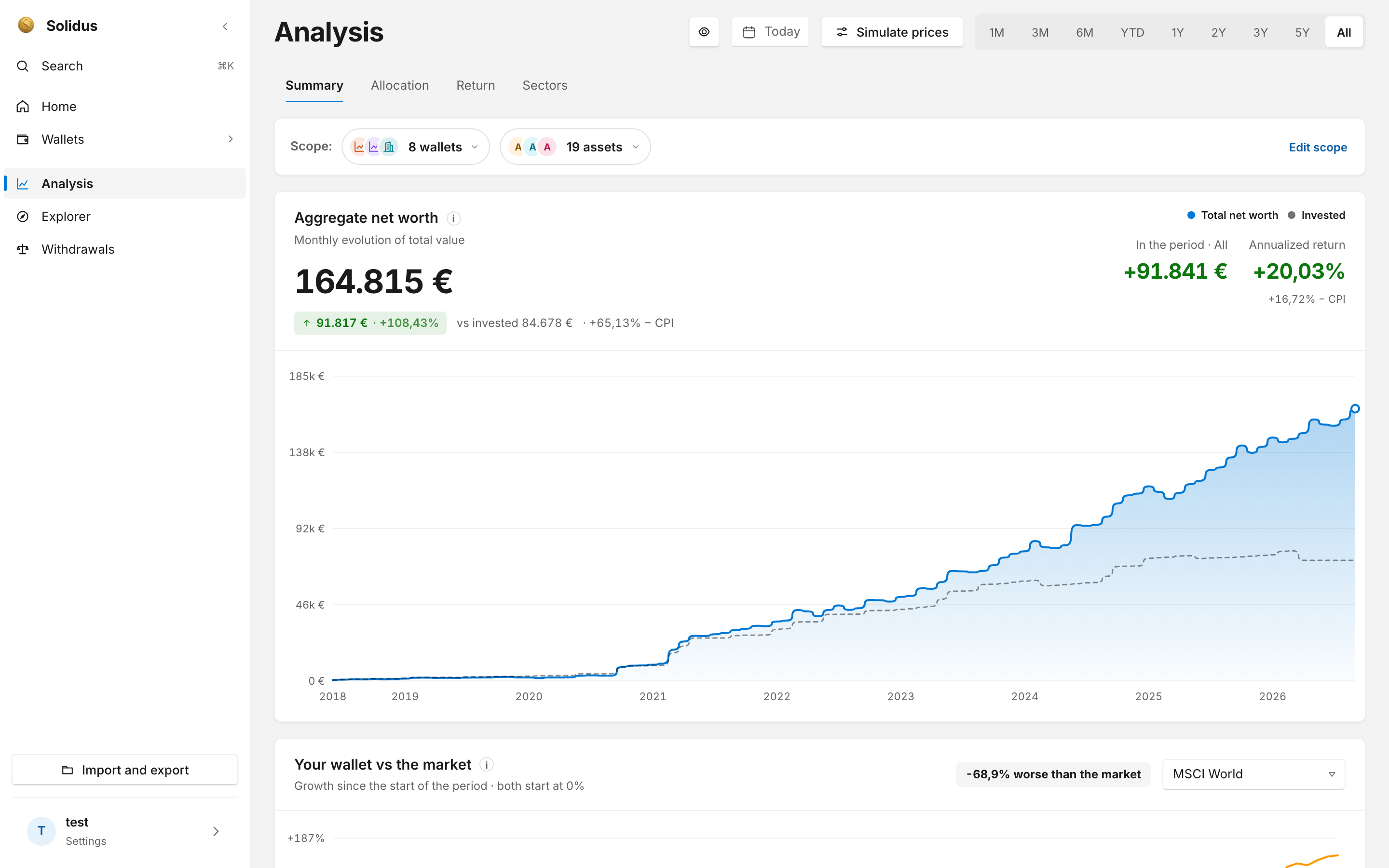
Net worth against what you invested, annualised return net of inflation, and your portfolio compared with indices such as MSCI World.
- Monthly evolution of your whole net worth
- Breakdown by portfolio, asset and sector
- Comparison with benchmark indices
- Filters from 1 month to full history
Slice your data any way you like
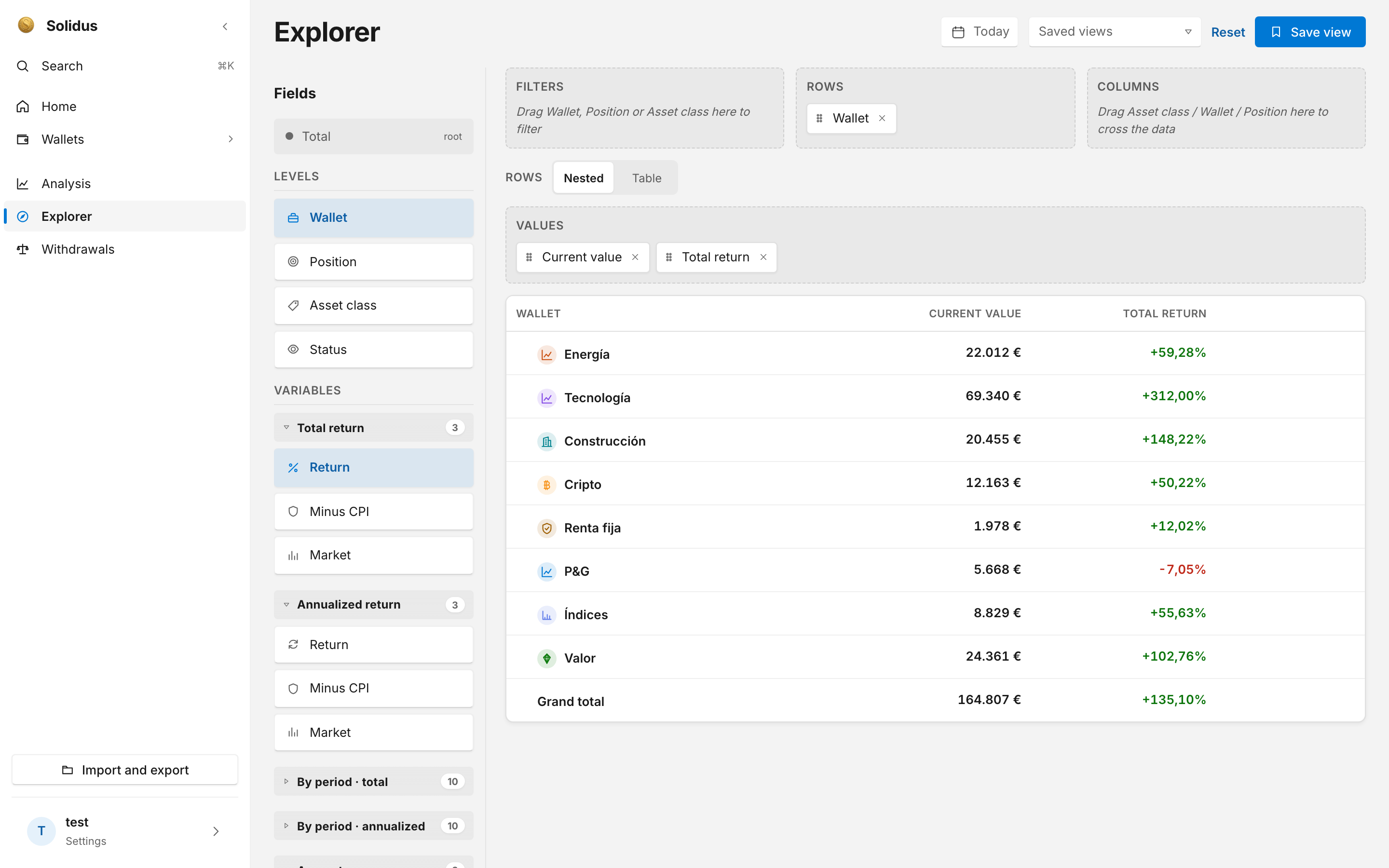
A pivot table to group transactions by asset, portfolio, type or year and reach the number you need without exporting to a spreadsheet.
- Group and filter by any field
- Instant totals
- Export to CSV when you need it
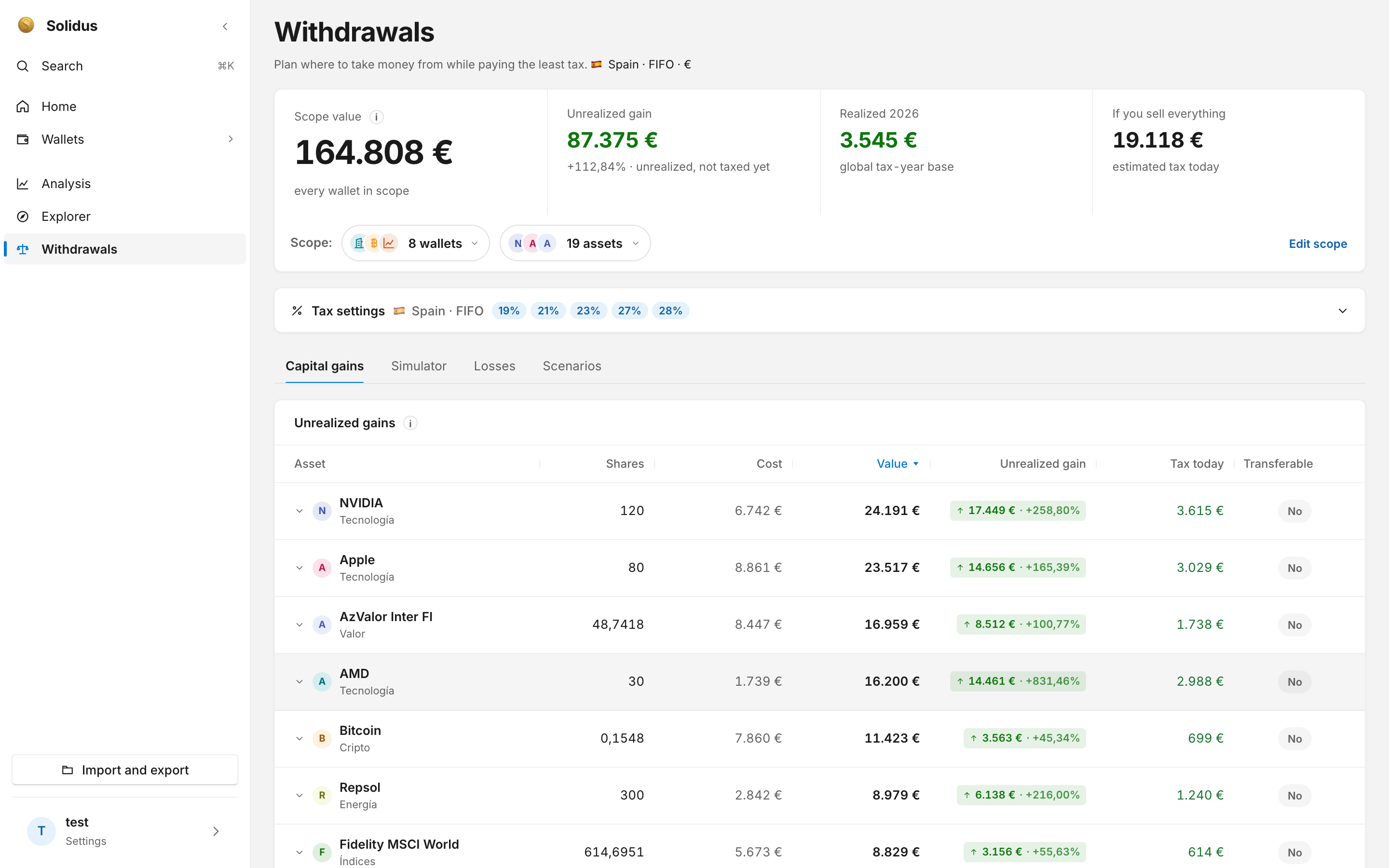
Know what you would pay before you sell*
The Withdrawals screen shows where to take money from paying the least tax, using FIFO and the Spanish savings brackets. It lets you plan how much money to set aside.
- Unrealised gain and estimated tax per asset
- Simulator: what happens if you sell X
- Losses you can offset this year
- Withdrawal scenarios side by side
- Spanish taxes for now; other countries coming soon
* This is an approximate estimate, not a tax return. Solidus works from the data you enter in the app (purchases, sales, dates and prices) to approximate how much tax you would owe when withdrawing that money, so you can plan how much to set aside. It is not a substitute for a tax advisor or accountant, and it files nothing with the tax authorities. Your real situation may include factors the app does not know about: check the figures with a professional before filing your return.
Built by someone who knows which numbers matter
Solidus is developed and designed by someone who analyses data every day at a multinational. They know which visuals, charts and tables truly add information, and which metrics help you understand reality. Everything else is left out.
The result: all your market investments, gold, silver and real estate included, in one place. Annualised returns, simple comparisons and clear insights at a glance, with no spreadsheets and no noise.
Your finances are nobody else's business
The encryption of your data is designed with one obsession: that nobody can see what you own. Here is what it guarantees:
End-to-end encryption
With Pro, the desktop app syncs your data through an end-to-end encrypted copy. It does go to the cloud, but it is encrypted on your device before it leaves.
Only you hold the key
Without your key, nobody can read that copy, not even us. That is why you should write down your 12 recovery words and keep them safe: if you have ever used a cold wallet, this will feel familiar. If you lose them, that cloud copy is gone for good.
No tracking
No ads, no third-party analytics, no selling data. Just clear, precise reports of your position.
Simple plans
Start free. Try Plus or Pro for 7 days at no cost and cancel any time.
Free
- 1 portfolio
- Transactions and dashboard
- Manual prices
Plus
- Unlimited portfolios
- Daily market prices
- QIF (Microsoft Money, Quicken) and CSV import
- Watchlist
- Index comparison
Pro
- Everything in Plus
- Tax module*: FIFO, tax return and withdrawals
- Pivot table and export
- On-demand price refresh
- Sync and desktop app, the recommended experience
* Approximate estimate, not tax advice. Prices include taxes. The subscription renews automatically and is managed from your Apple account.
Frequently asked questions
Can I import from Microsoft Money or Quicken?
Yes. Solidus imports QIF files (the format Microsoft Money and Quicken use), files in Yahoo Finance format and custom CSV files, with a powerful recognition engine that helps you import them. You can also start from scratch or with sample data.
Will other countries' taxes be supported?
For now the tax module covers Spain. We will extend it to other countries soon.
Where do prices come from?
From the data source you select in the app, or manually if you prefer to enter them yourself. Your device downloads them, not us.
What happens to my data if I cancel?
Nothing: it is not deleted. You keep it on your device and can still see it; to add new transactions you will need to subscribe again.
Does it replace a tax advisor?
No. The tax calculations are an approximate estimate based only on the data you enter in the app, so you can plan how much money to set aside when withdrawing. They are not a substitute for a tax advisor or accountant, and they do not file your return. Check them with a professional.
When does it launch?
We are finishing the first iPhone version, with the desktop app for Mac and Windows afterwards.
Your portfolio deserves clarity
We are preparing the launch. Write to us and we will let you know when it is available.
Notify me