 Solidus
More
Settings: language, currency, theme and your account
Settings holds what is worth tweaking once at the start: language and format, main currency and appearance. And everything about your account.
In short
- “Preferences”: language, country, date and number format, main currency and theme.
- “Show inflation data” adds the figures net of CPI.
- “Hide amounts on open” and Face ID lock protect your privacy.
- Under “Account” you change your name, manage owners and sign out.
1Preferences
Open Settings from your profile (bottom left on desktop; on iPhone, from Home, “···”). The first things worth setting:
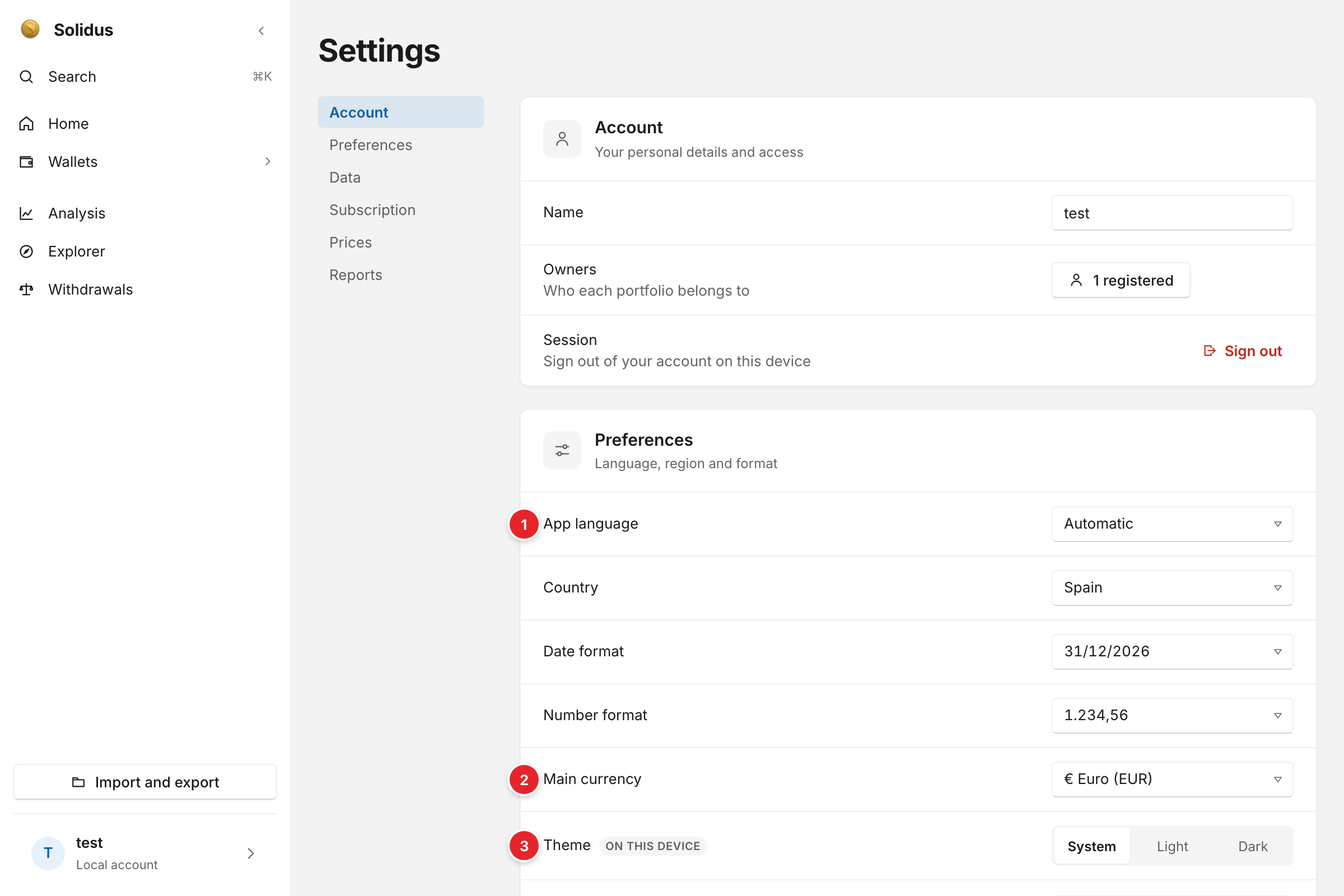
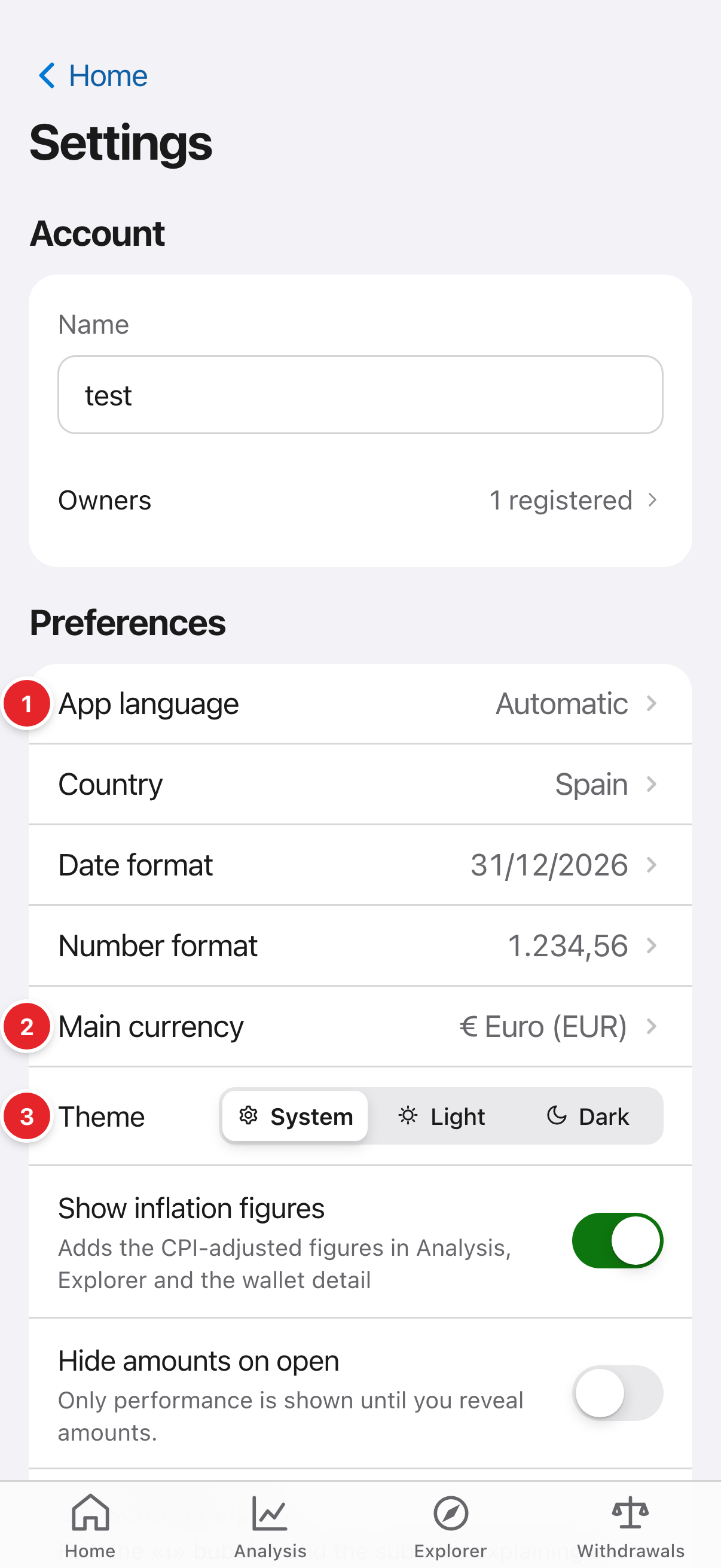
- “App language”: automatic, Spanish or English.
- “Main currency”: the one in which totals across all your wallets are shown.
- “Theme”: light, dark or follow the system. It is per device.
2Privacy and security
“Hide amounts on open” leaves only performance visible until you reveal the figures. On iPhone, “Lock with Face ID” asks for Face ID or the passcode when opening the app.
3Account, backup and data
You can export a wallet’s data from its “···” menu (included in Pro). The cloud copy is encrypted with a phrase only you know; if you lose it, use your 12-word recovery code. To delete your account and encrypted copy, do it from Settings.
Screenshots are of the real app with sample data, not anyone’s own.
Common problems
I changed phones, how do I get my plan back?
Press “Restore purchases” with the same Apple ID.
Where do I cancel the subscription?
On your iPhone: Settings → your name → Subscriptions → Solidus. You keep access until the paid period ends and we don’t delete your data.