 Solidus
Analysis
Analysis · Allocation: where your money is
“Allocation” shows how your net worth is spread. It helps you spot whether you depend too much on one thing.
In short
- Three splits: by nature, by wallet and by position.
- The one by nature really describes your strategy.
- The one by position adds up the same asset even if it is in several wallets.
- A huge slice is a concentration signal, not an error.
Before you start
Concentration
When a small share of your assets weighs heavily in the total, your result depends almost only on it. It isn’t bad in itself, but you should know.
1Read the three splits
Each chart adds up to 100% of your net worth for the chosen scope; hover (or tap) a slice to see its amount and weight.
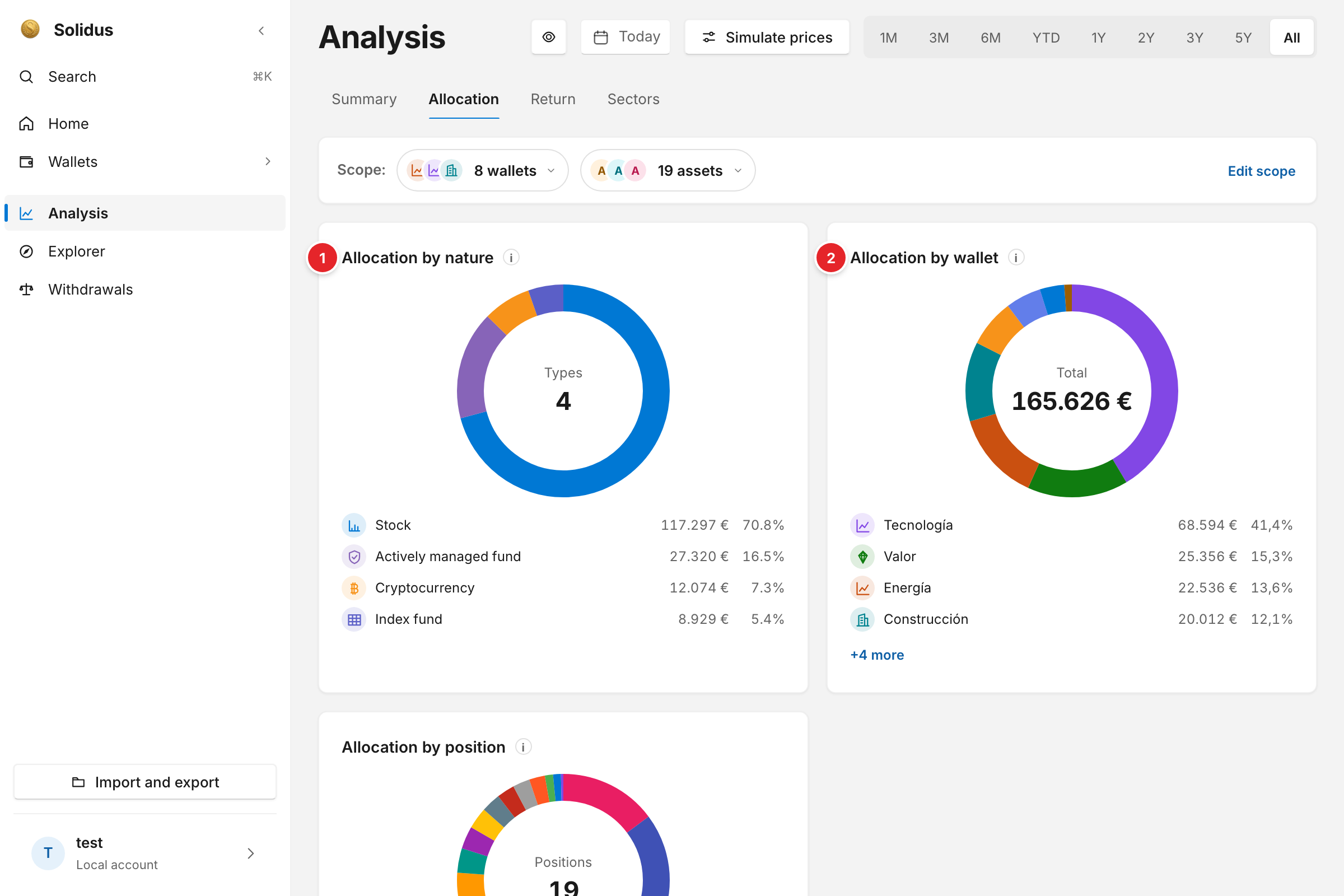
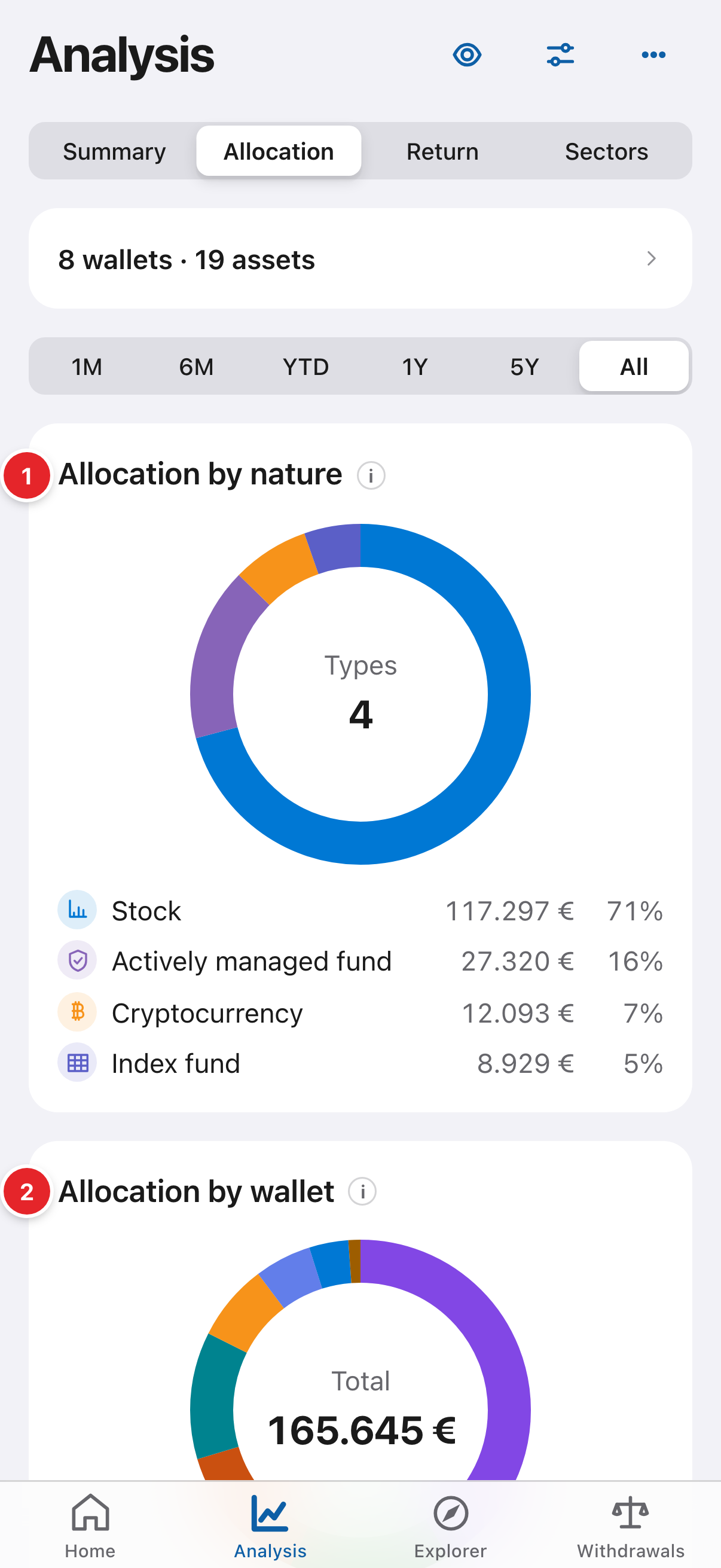
- “Distribution by nature”: how much is in stocks, index funds, crypto… The type is set per asset from its pencil. Two different wallets may be buying the same thing; it shows here.
- “Distribution by wallet”: each wallet’s weight. If one weighs far more than you wanted, that is the cue to rebalance.
2Look by position
Further down, “Distribution by position” splits asset by asset, adding up the same ticker whichever wallet it is in. It is the real concentration risk: a fund repeated in two wallets shows up together here.
Screenshots are of the real app with sample data, not anyone’s own.
Common problems
Almost everything shows as “Unclassified”
Set each asset’s investment type from its pencil in the wallet. The price source fills some in automatically.