 Solidus
More
Fund transfers without realising a gain
A transfer moves one fund into another without selling it. If you record it as a transfer instead of a sale and a purchase, Solidus doesn’t count a gain you haven’t realised.
In short
- The destination fund inherits the cost and holding period of the source.
- You don’t realise the gain, so it doesn’t count as a sale.
- You can transfer between wallets, or within the same one.
- You need the number of units you receive (it’s on the statement).
Before you start
Why isn’t it the same as selling and buying?
When you sell, the gain is realised and taxed. In a fund-to-fund transfer the money never reaches your pocket: the starting cost and the original purchase date are kept, and the tax is deferred until you finally sell.
1Choose “Transfer”
From the source wallet, press “Add transaction” and choose the type “Transfer”. Select the outgoing fund under “Source asset” and press “Continue…”.
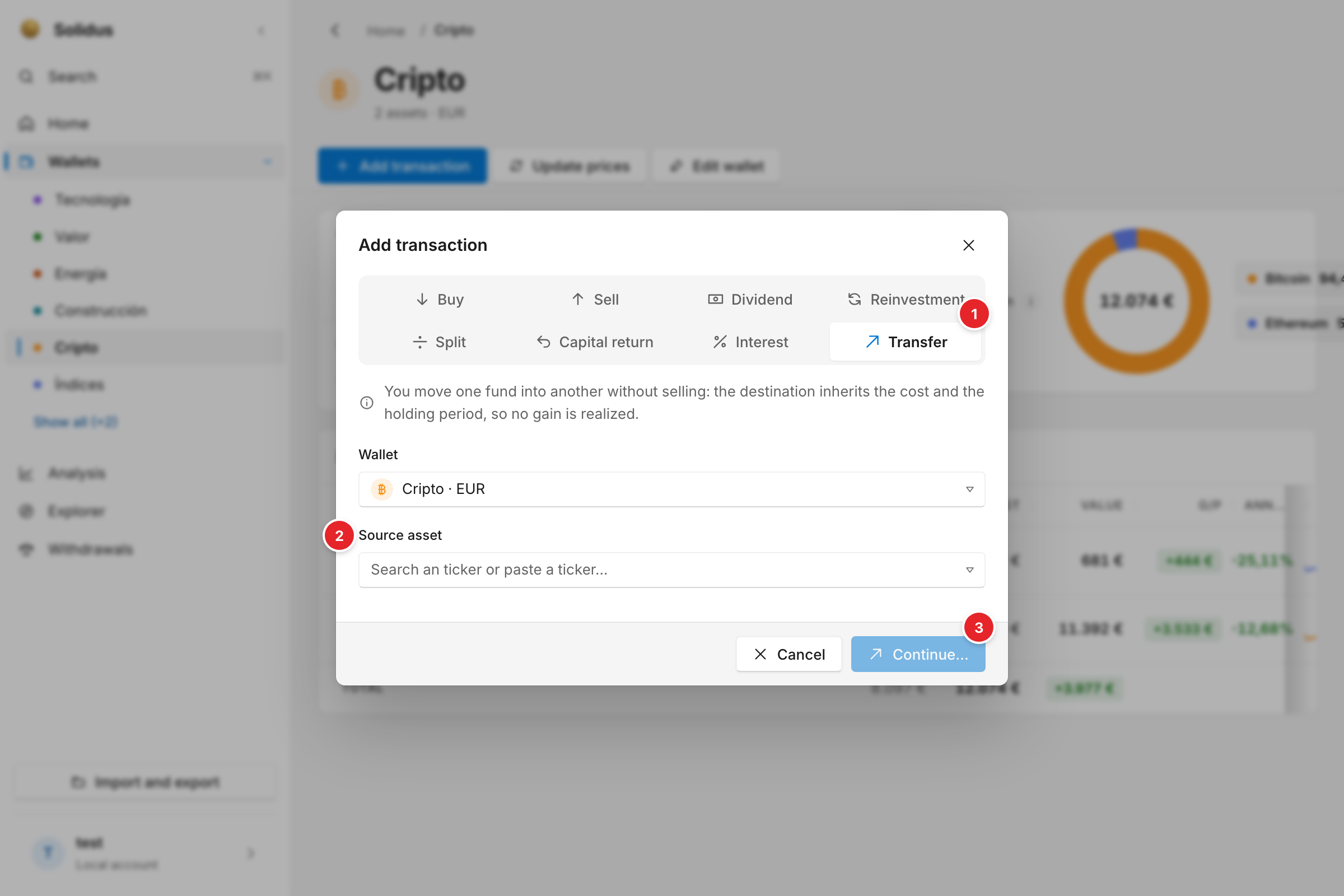
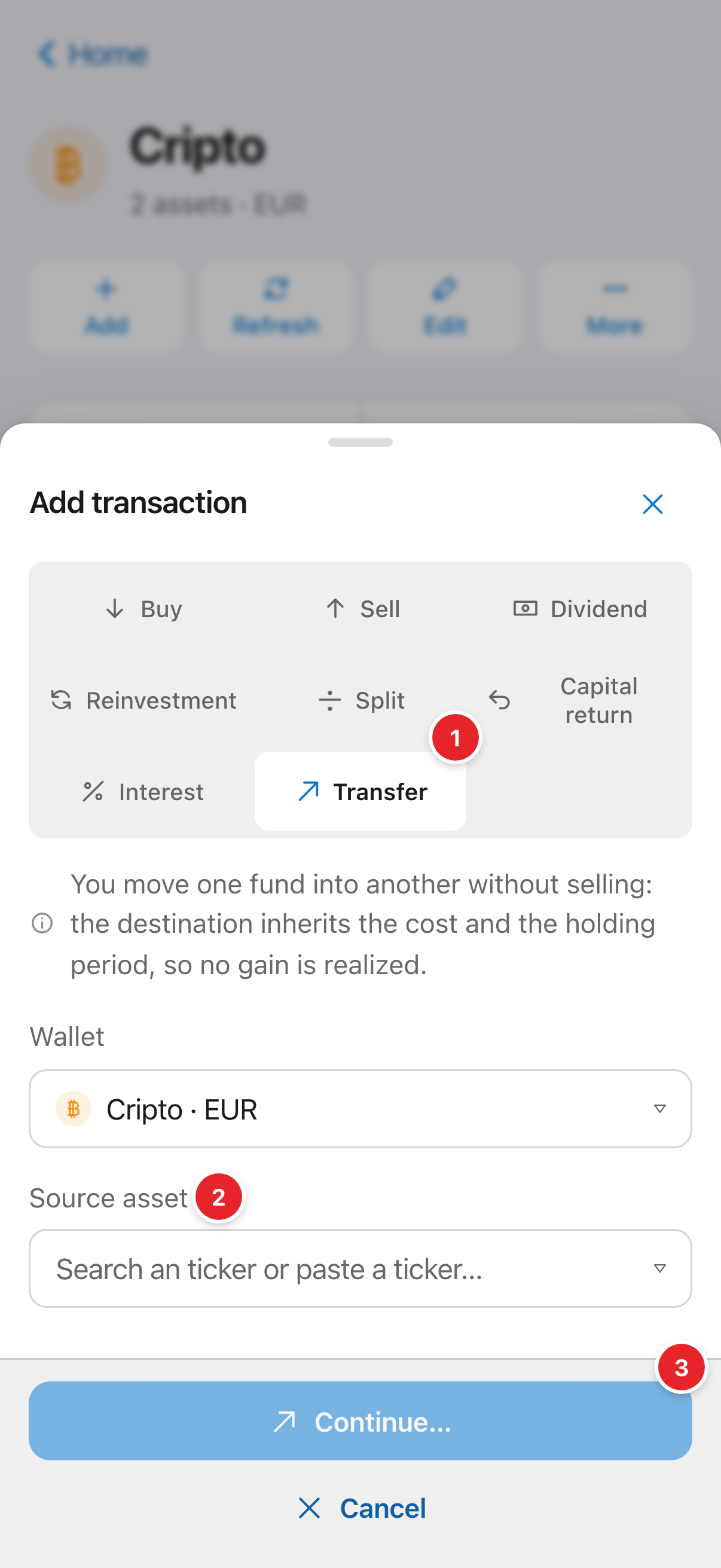
- The “Transfer” type.
- “Source asset”: the fund going out. Only positions you can transfer appear.
- “Continue…”: opens the next step.
2Say where it goes
In “Transfer fund” you pick the destination wallet and destination fund (or create a new one with its ticker and alias), how many units you transfer and how many you receive. If there is no price for that date, enter the units from your broker’s statement. Solidus shows the destination’s new average price.
3Save
On saving, the source loses those units and the destination gains them with the inherited cost.
Screenshots are of the real app with sample data, not anyone’s own.
Common problems
It only lets me transfer what I hold
That’s expected: you can’t transfer more units than you hold on that date.
Next step
Settings: language, currency, theme and your account → · All guides