 Solidus
Getting started
Import your trades from a file
If you already track your investments elsewhere, there is no need to type them again. Solidus creates the wallet and its transactions from a file.
In short
- Formats: Yahoo Finance (.csv), Quicken / Microsoft Money (.qif), custom CSV and Solidus (.json).
- You import while creating a new wallet.
- With QIF and custom CSV there is a review step to assign each asset’s ticker.
- After importing, check the dates under “Recent activity”.
Before you start
Which format do I use?
- Yahoo Finance: a Yahoo portfolio export, with buys and sells.
- Quicken / Money (.qif): what those programs, and some brokers, export.
- Custom CSV: any table; you say which column is the date, quantity, price…
- Solidus: a copy exported from the app itself.
1Choose format and file
Press “New wallet”, scroll to “Import from” and pick the format. Then “Choose file”.
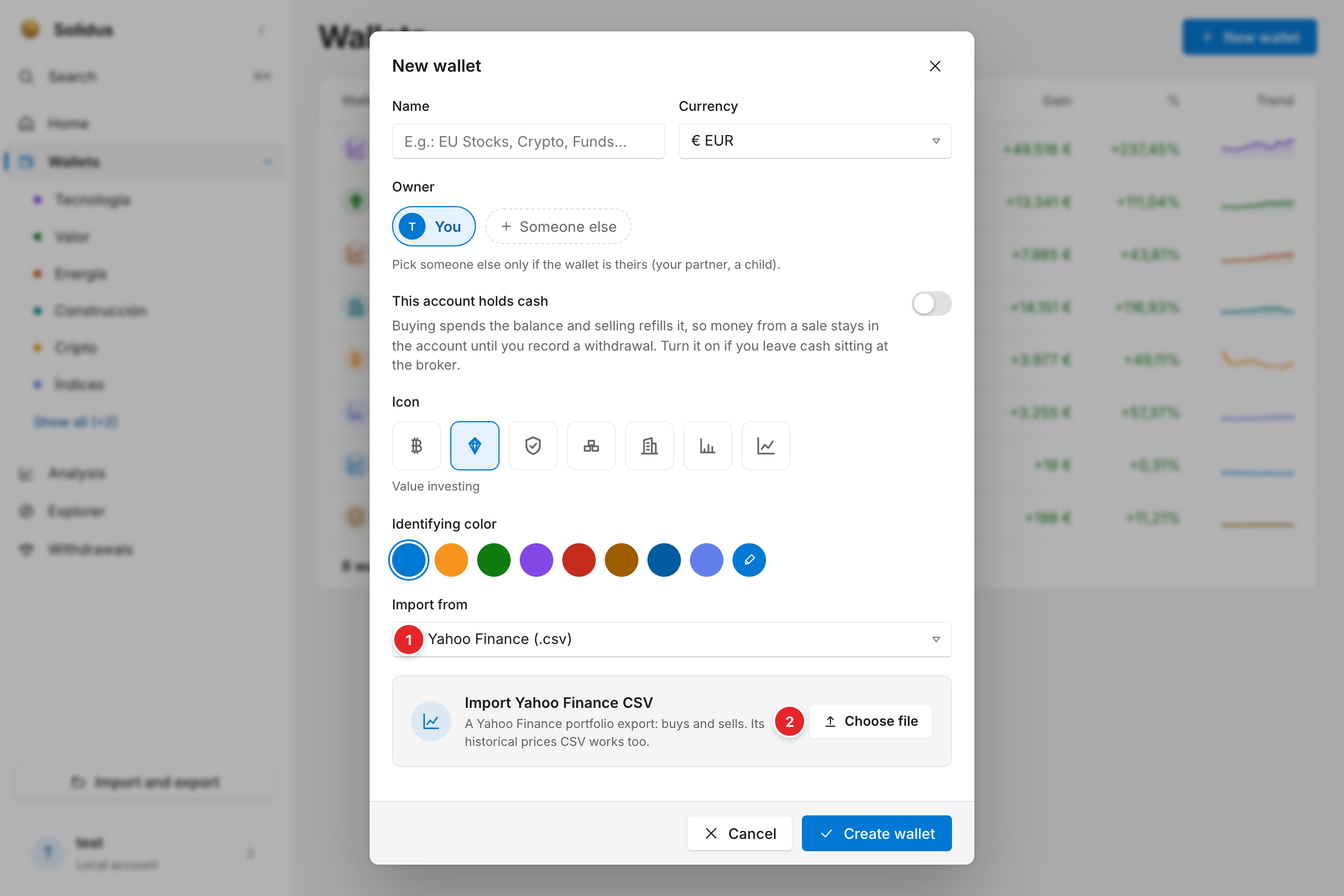
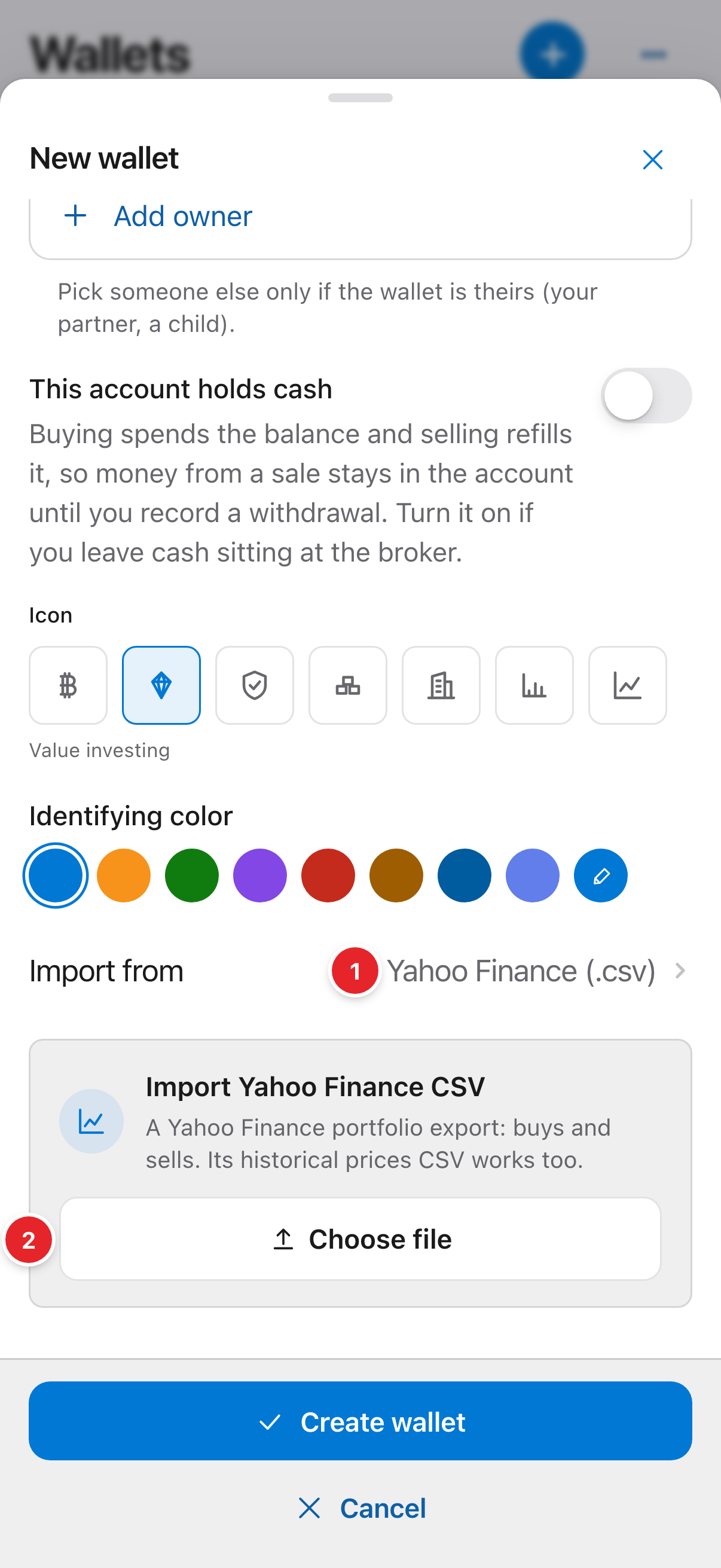
- The format of the file you bring.
- “Choose file”: pick the file on your device.
2Map and review (if needed)
With a custom CSV, Solidus shows the file’s columns so you can say which is which. With QIF or custom CSV you also review the detected assets and give each its ticker or a manual price before the wallet is created.
3Create and check
Press “Create wallet”. Open the wallet and compare the total with your broker’s. If something doesn’t add up, it is usually a wrongly assigned ticker or a trade with the wrong date.
Screenshots are of the real app with sample data, not anyone’s own.
Common problems
The file won’t go in
Check you picked the right format and that the file is the exported one, not a screenshot or a PDF.
I imported twice and have duplicates
Delete the duplicate wallet, or the repeated movements, from the wallet itself.
Next step
Analysis · Summary: how much you have and how much you gained → · All guides