 Solidus
More
Where prices come from (and what to do if they fail)
Solidus downloads quotes from a price source. Here is how to pick it, what to do if an asset has no quote and why sometimes nothing updates.
In short
- The source is chosen in Settings → Prices.
- Some sources need your own free key.
- To protect the source, calls are limited in frequency.
- An asset with no quote can be valued by hand with Manual price.
1Choose the source
In Settings → “Prices” you choose where quotes are downloaded from. Yahoo Finance needs no key; other sources (EODHD, Twelve Data, Alpha Vantage) ask for your free key. “Test connection” checks it responds, and it is only saved if it does.
The key isn’t shared: whoever uses it spends your quota.
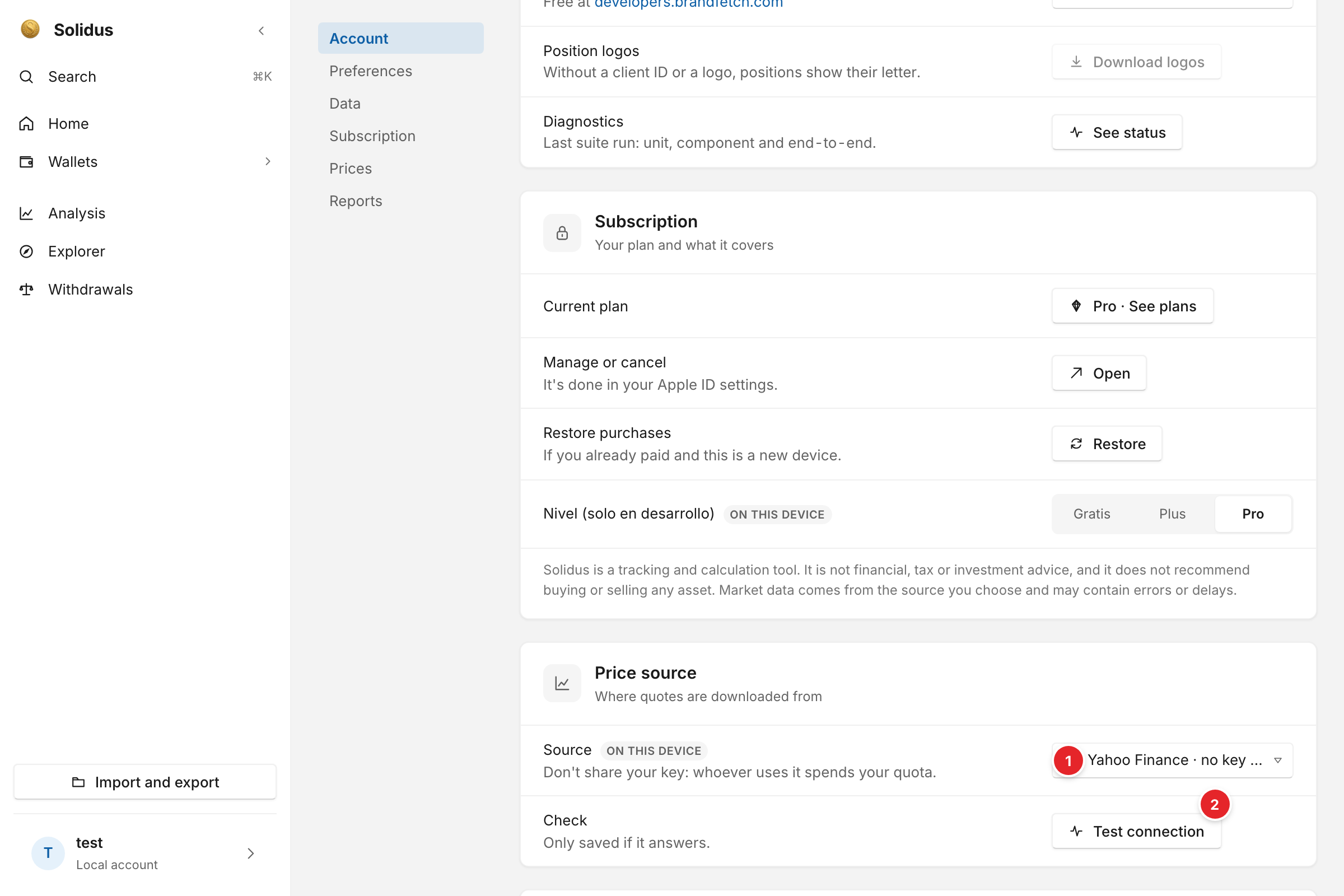
- Source: this is where you select where quotes are downloaded from. Each source says whether it needs no key or your own key.
- Test connection: checks that the source responds. It is only saved if it does.
2Refresh
Prices refresh when you open the app and with “Update prices” in each wallet (on iPhone also by pulling the screen down). They are requested at most once a day on the Plus plan and every 6 hours on Pro.
3Set a price by hand
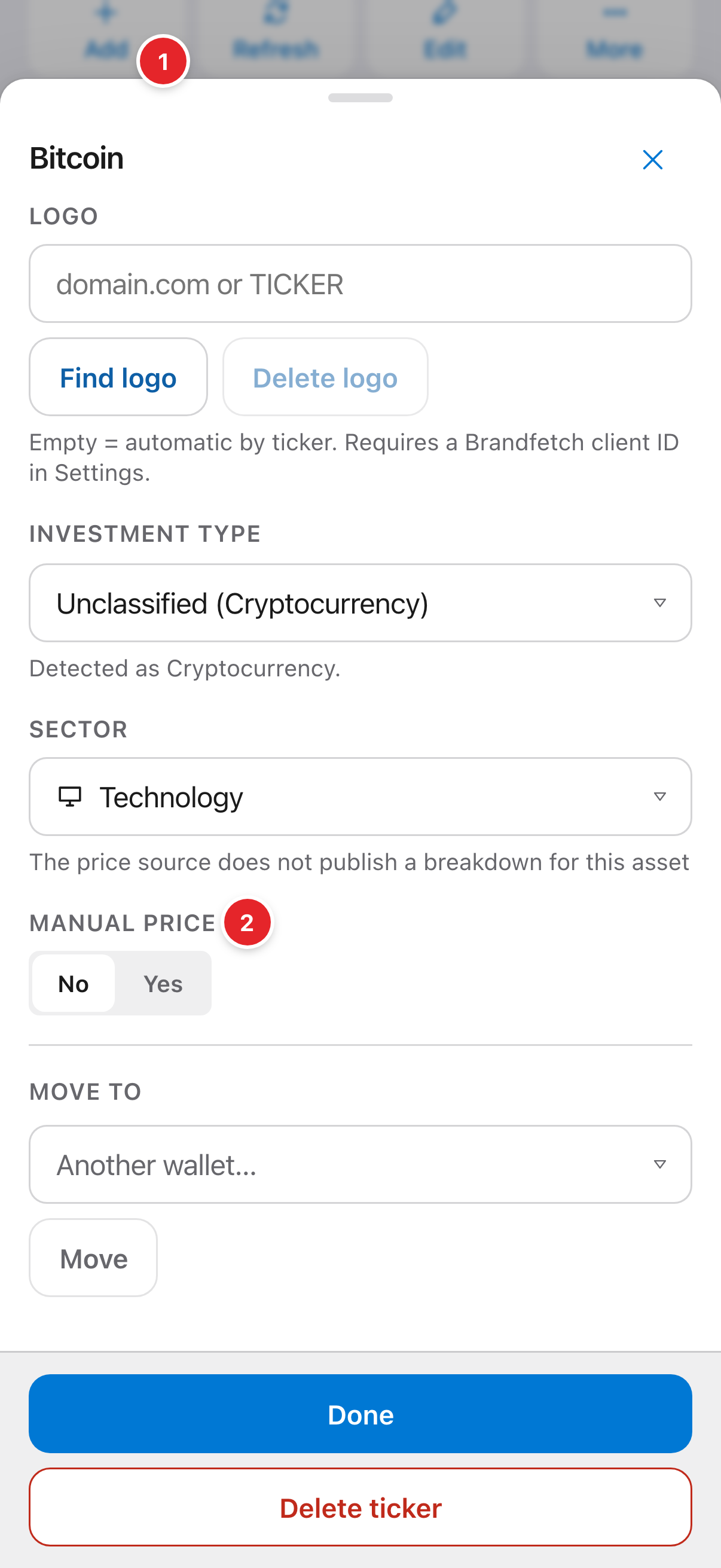
If an asset has no quote (a pension plan, a private product), open its pencil in “Positions” and use “Manual price”: you enter the value and the date, and Solidus uses it instead of downloading one.
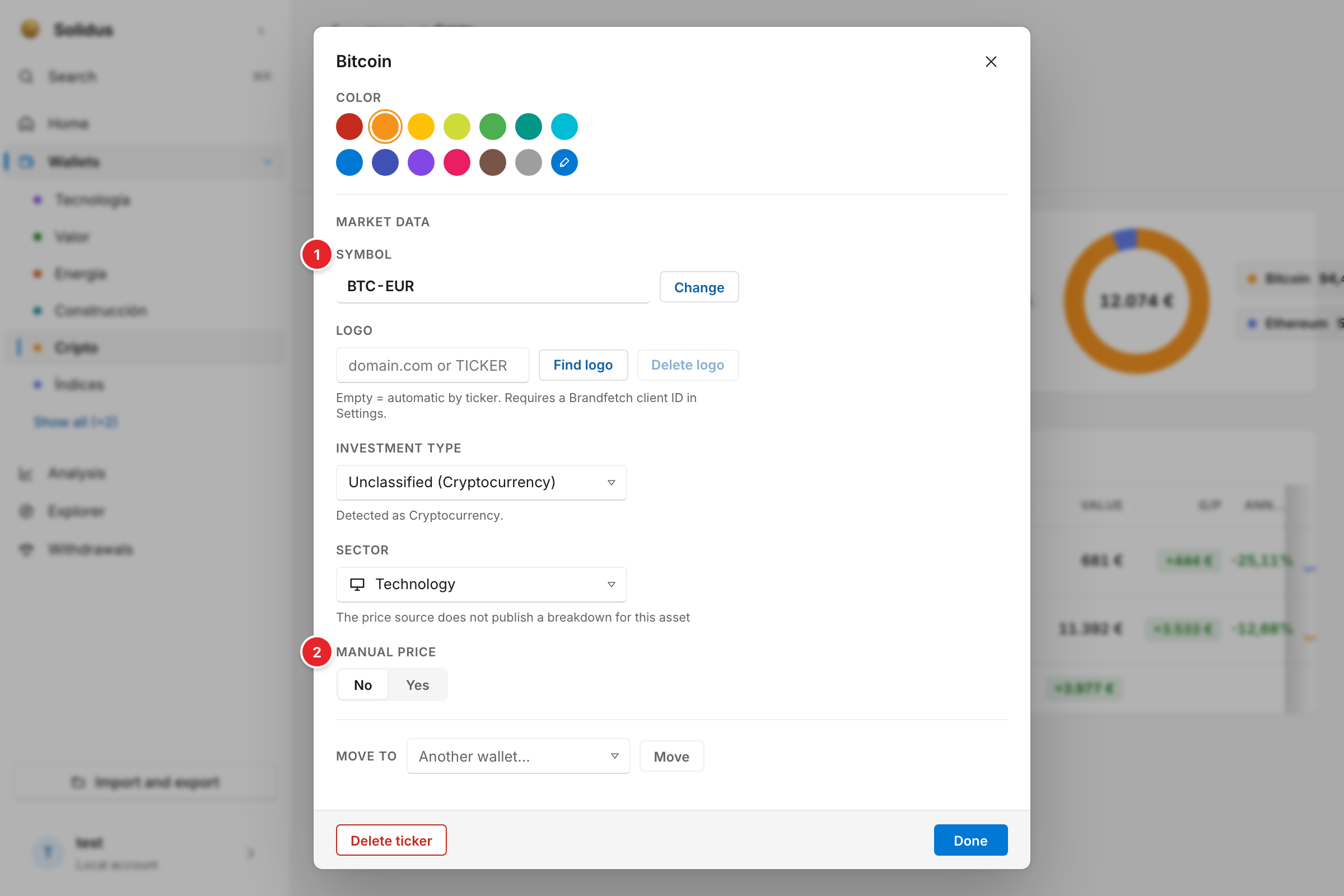
- Symbol: the ticker is the information that helps Solidus find the price at the source. If no price shows up, it is almost always the first thing to check.
- Manual price: for assets that don’t trade, switch it to “Yes” and set the value and the date yourself.
Screenshots are of the real app with sample data, not anyone’s own.
Common problems
Prices aren’t updating
Try another source under Settings → Prices, and check your connection works. If you use a source with a key, check the key is right and hasn’t run out of quota.
An asset shows no price
It is almost always the ticker. See the ticker guide.