 Solidus
More
Follow an asset without buying it
If you want to see how a security you haven’t bought is doing, you can follow it: Solidus downloads its quote, but it doesn’t count towards your net worth.
In short
- Assets you follow don’t add to your net worth.
- The closing price of the chosen day is saved as a reference.
- Useful to compare later whether what you didn’t buy rose more than what you did.
1Open “Watch a stock”
On Home, in the “Investments to watch” section, press “Watch asset” (on iPhone, “+ Watch”).
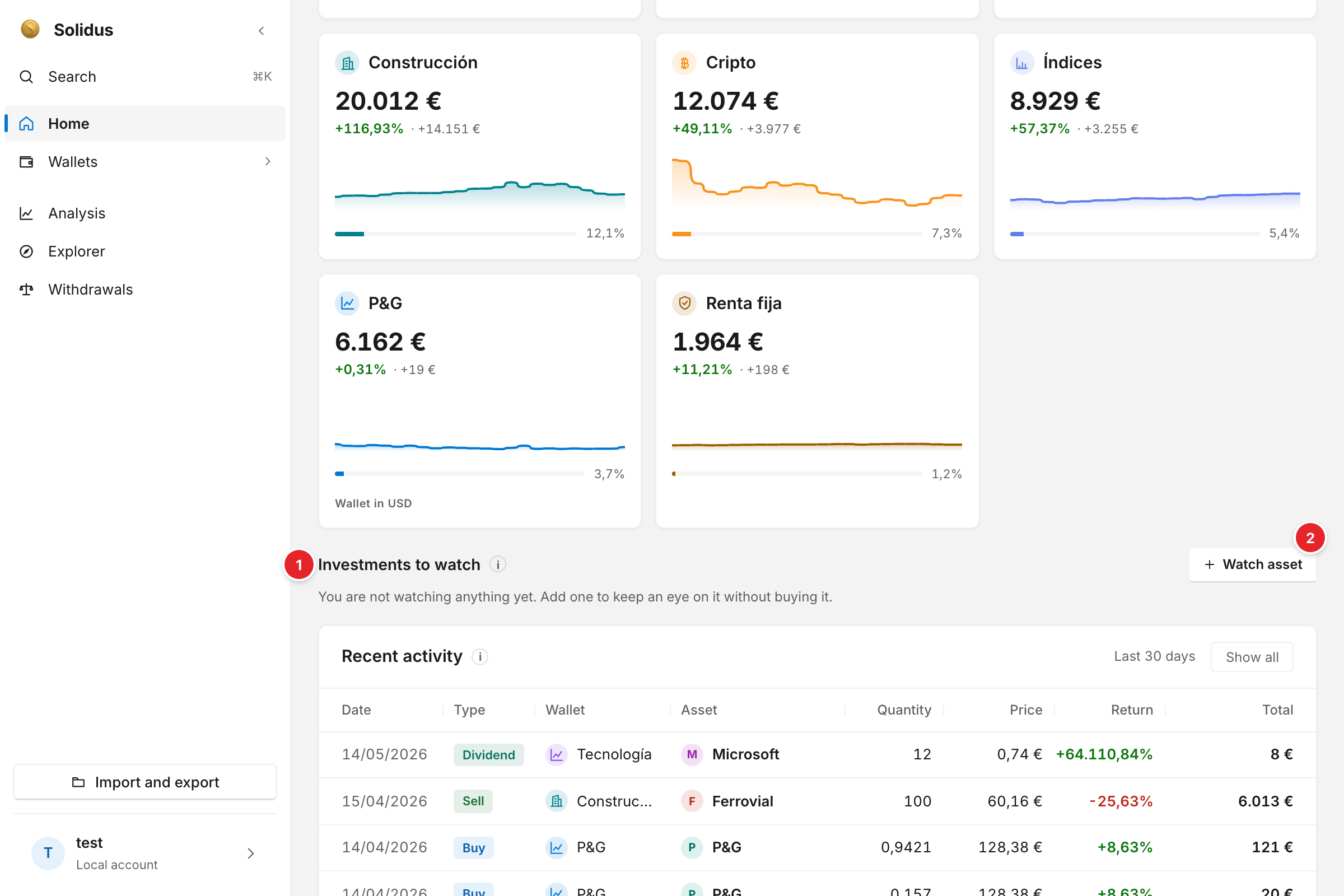
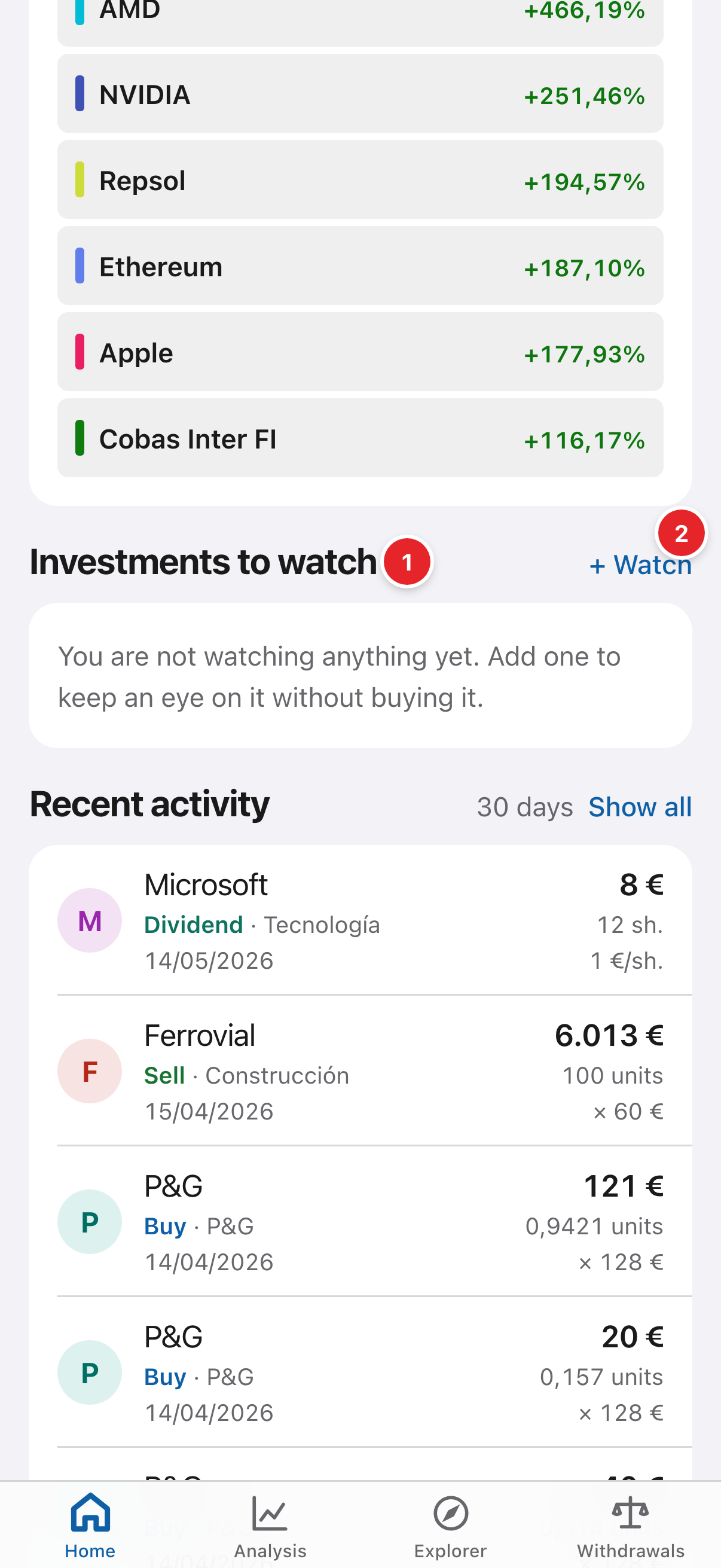
- Investments to watch: the Home section where the assets you watch appear. It is empty until you watch one.
- Watch asset (on iPhone, “+ Watch”): opens the sheet to add one.
2Say which asset
Type the name or ticker (for example NVDA or Apple). You can give it an alias and choose from which date you watch it: Solidus saves that day’s closing price as the starting point to measure its progress.
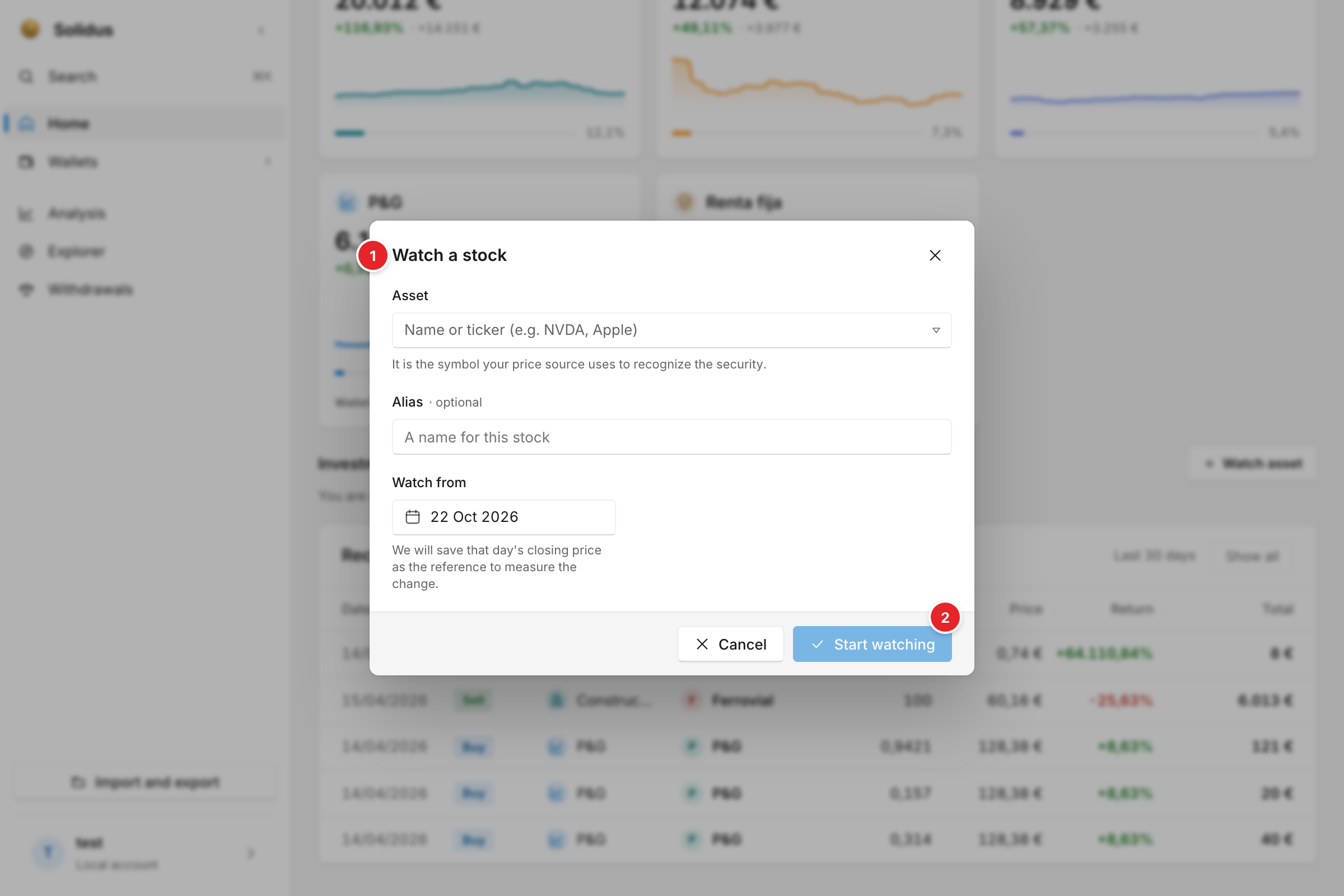
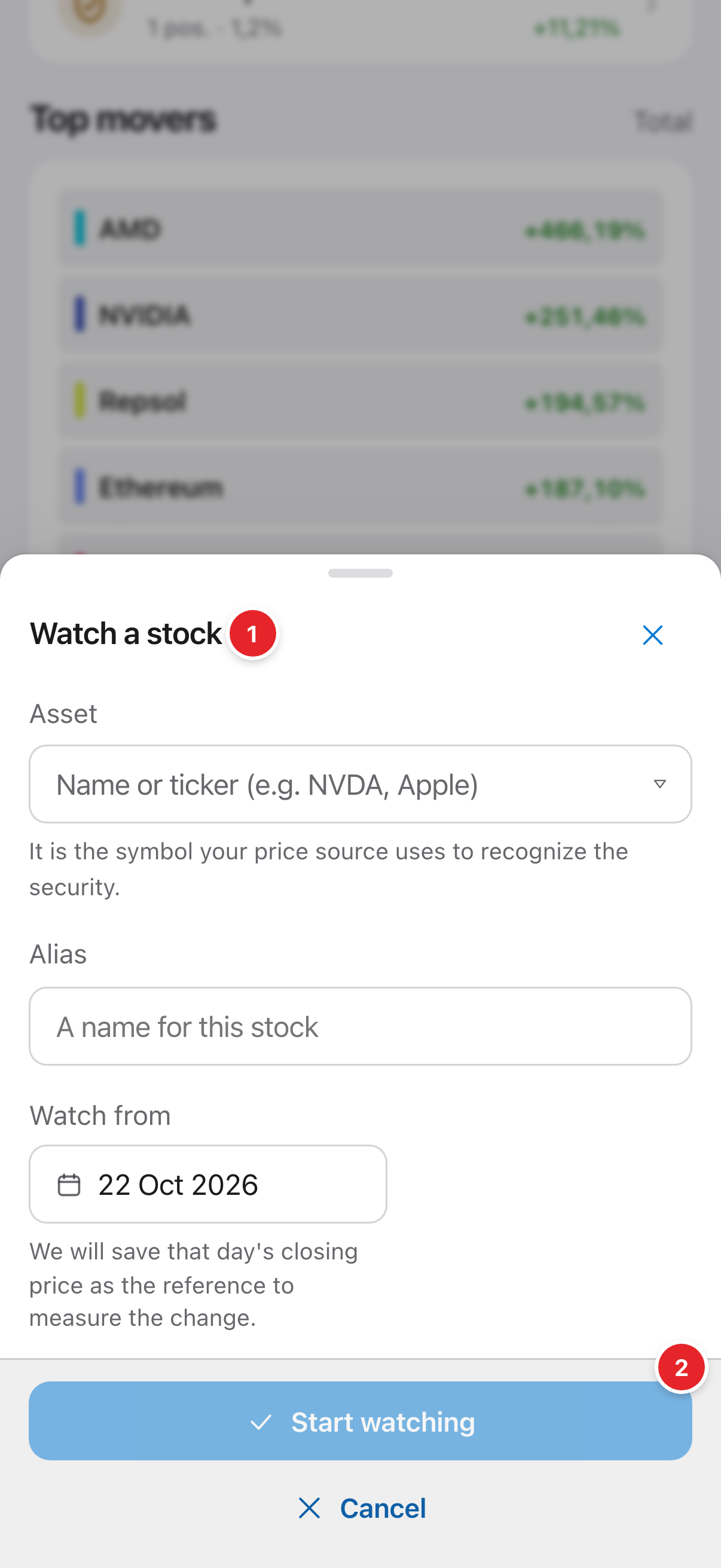
- Watch a stock: the sheet where you enter the asset (name or ticker), an optional alias and the date you watch it from.
- Start watching: adds it to the Home section.
3Start watching
Press “Start watching”. The asset appears in the card with its progress since that date.
Screenshots are of the real app with sample data, not anyone’s own.
Common problems
It can’t find my asset
It is the ticker: it must be a valid symbol on your price source. See the ticker guide.