 Solidus
Getting started
What is Solidus: wallets, positions and transactions
Solidus doesn’t ask how much you own: it asks what you did (bought, sold, got paid) and works out everything else. These four ideas are all you need to understand the app.
In short
- A wallet is a named box: “Funds”, “Crypto”, “Pension plan”…
- A transaction is a fact: “on 3 March I bought 10 shares at €150”.
- A position is what you hold today of one asset, and Solidus calculates it by adding up that asset’s transactions.
- Prices, value, returns and charts recalculate by themselves; you only record what happens.
Before you start
Wallet
A group of investments you want to see together: by broker, by goal or by person. Each wallet has its own currency and you can have several. Its screen summarises how much it is worth, how much you put in and how much you gained.
Asset and ticker
An asset is what you buy: a stock, a fund, a cryptocurrency. Each one is identified by a ticker, a short code like AAPL (Apple) or BTC-EUR (Bitcoin in euros). Solidus uses it to download prices. See the ticker guide.
Transaction
Every operation you record: a buy, a sell, a dividend, a split… It is the only thing you type. There is a whole guide: adding transactions.
Position
What you hold now of an asset in a wallet: how many units, at what average price you bought them and what they are worth today. You never type it: it comes from adding up that asset’s transactions. Buy 10 and later 5 and your position is 15; sell 3 and it is 12.
1Look inside a wallet
Open a wallet from “Wallets”. At the top you get the wallet summary and below, under “Positions”, one row per asset with its quantity, average price, current price and what you have gained.
If you add or delete a transaction, positions and every figure change instantly: there is nothing to “refresh” by hand.
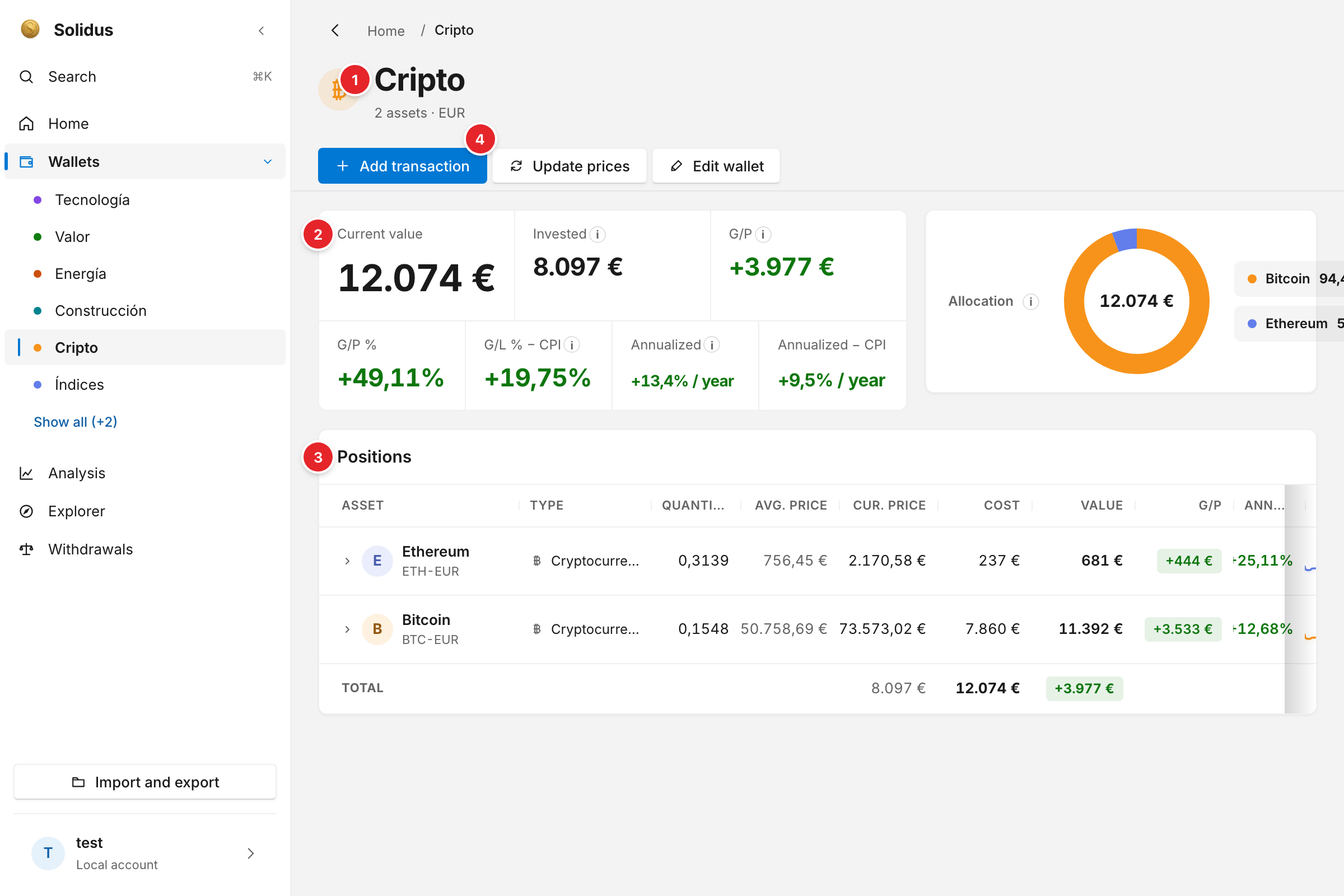
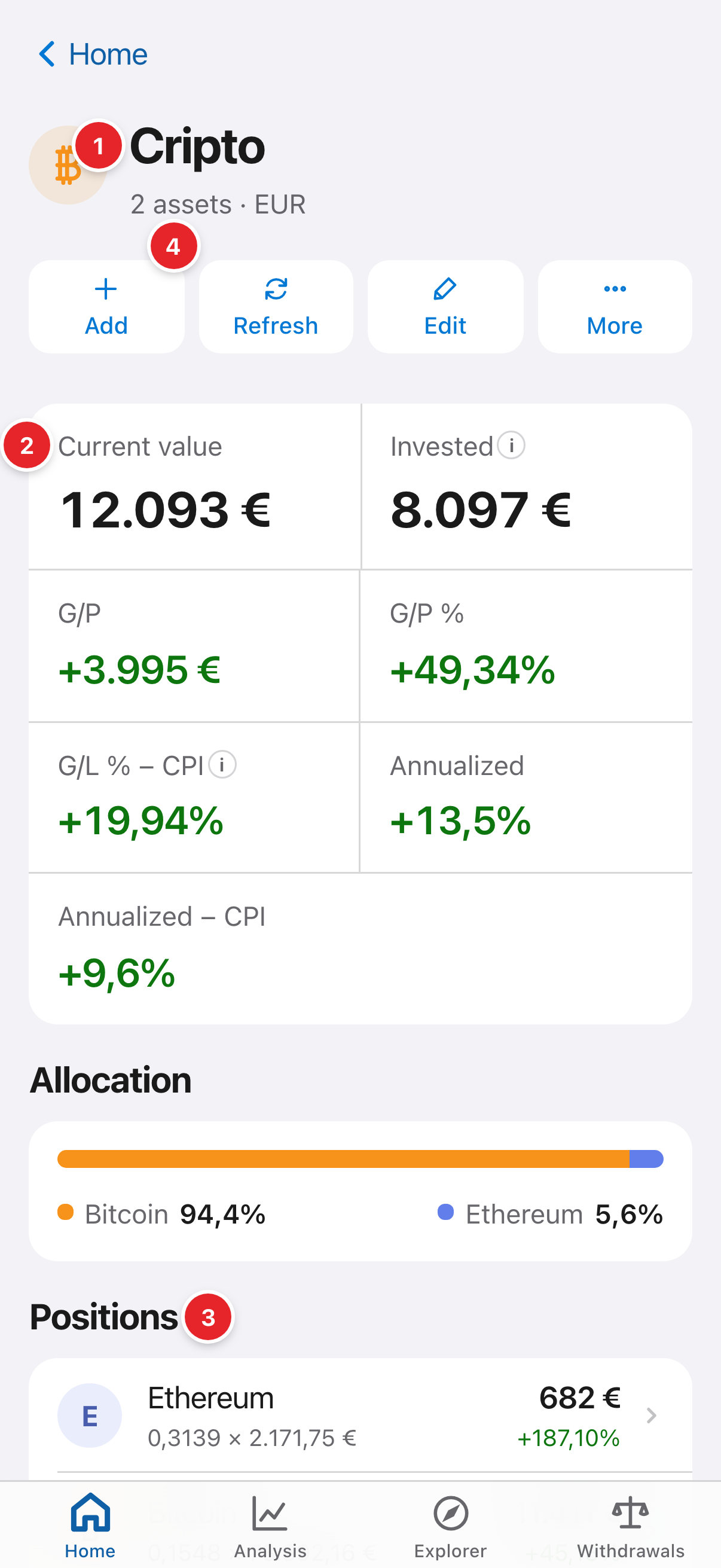
- The wallet’s name and currency.
- “Current value”: what everything in the wallet is worth today. Next to it you will find the amount invested, the gain and the return.
- “Positions”: one row per asset. Each row is the result of adding up that asset’s transactions.
- “Add transaction”: the only way to change what you hold. The next thing to learn.
2See where a position comes from
Press a position to expand it: its transactions appear below. The row’s quantity and average price are the result of adding up those purchases (and subtracting the sales).
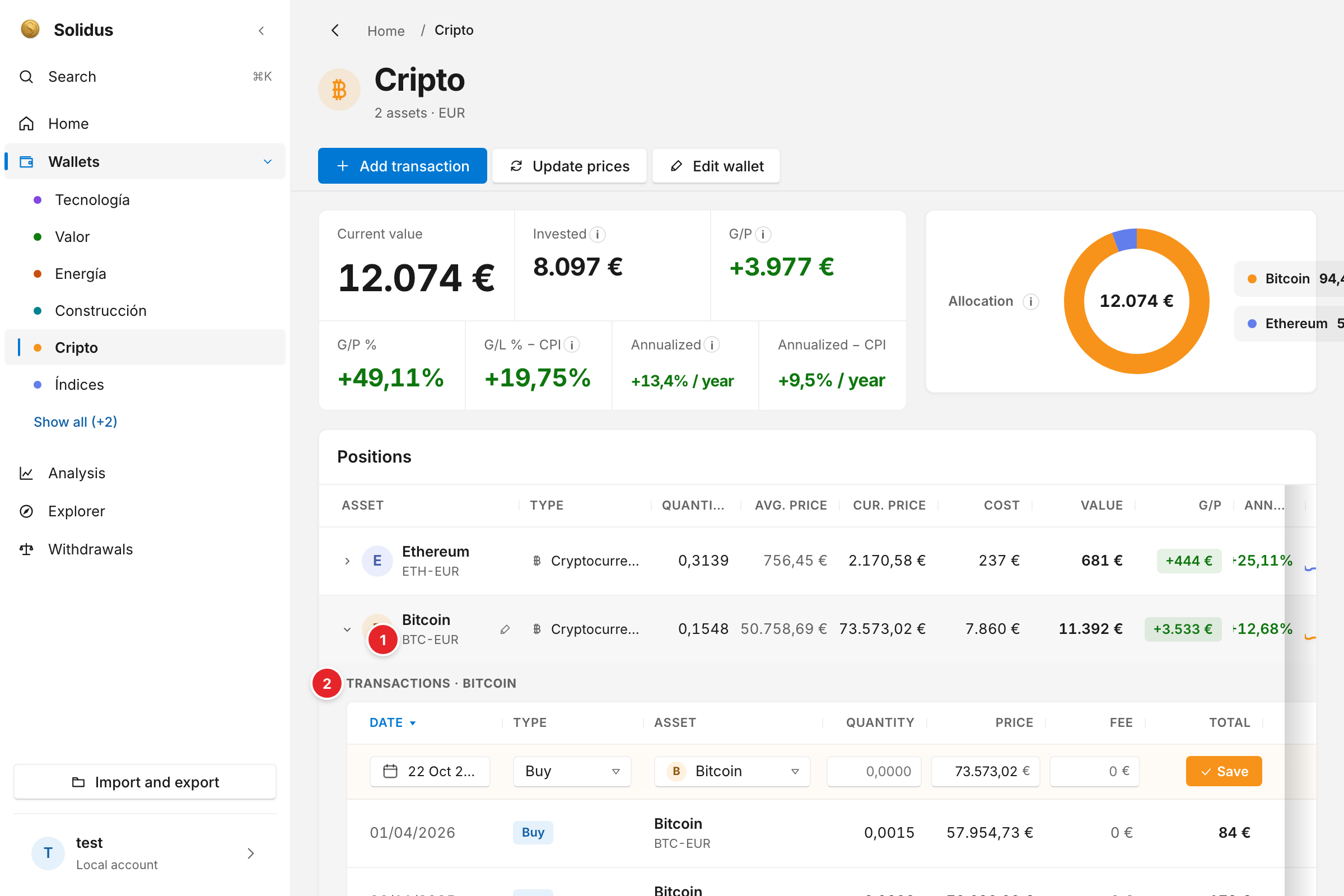
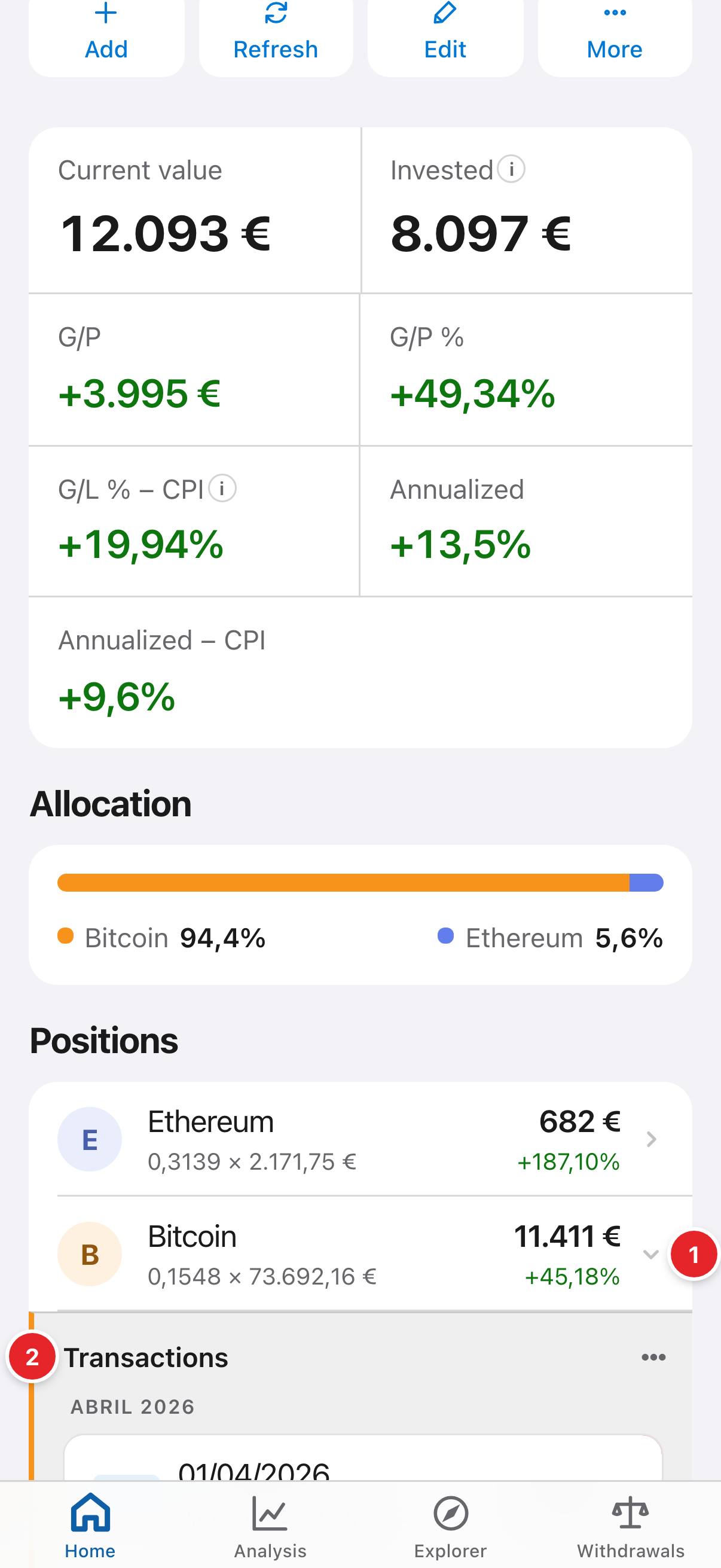
- The position: quantity, average price, value and gain of this asset in this wallet.
- The transactions that make it up. If you add, edit or delete one, the row above recalculates.
Screenshots are of the real app with sample data, not anyone’s own.
Common problems
Why can’t I edit a position’s quantity directly?
Because a position is not data, it is a result. If something is missing, add the missing transaction (for example the forgotten purchase) and the position fixes itself.
What if the same asset is in two wallets?
They are two separate positions, each with its own transactions, but they share the market price. Analyses by position add them together.