 Solidus
Getting started
Adding transactions: buys, sells, dividends and more
Recording a transaction is all Solidus needs to calculate your position, average price and return. Here is each type and what it is for.
In short
- Pick the type first: the form changes with what you choose.
- A buy adds units and recalculates your average price; a sell removes units.
- Fees and withholding tax have their own field.
- You can edit or delete a transaction any time: the position recalculates itself.
Before you start
Transaction types
- Buy and Sell: quantity, price per unit and fee.
- Dividend and Interest: gross amount and withholding; you see the net received.
- Reinvestment: a dividend reinvested in the same asset; Solidus works out the new shares.
- Split: the asset is divided (say 2 for 1). It multiplies your shares and divides the average price, without changing what you are worth.
- Return of capital: part of what you invested is paid back; it lowers your average cost.
- Transfer: move a fund into another without selling (guide).
- Deposit and Withdrawal: only in wallets with cash; they move money in or out of the wallet.
1Open “Add transaction”
From the wallet where the operation happened, press “Add transaction” (“Add” on iPhone).
2Complete the form
Pick the type, the asset, the date and the amounts. The blue box summarises the effect before you save: for a buy, the total to invest and your new average price.
Optional fields (fee, notes, lock-up) can stay empty.
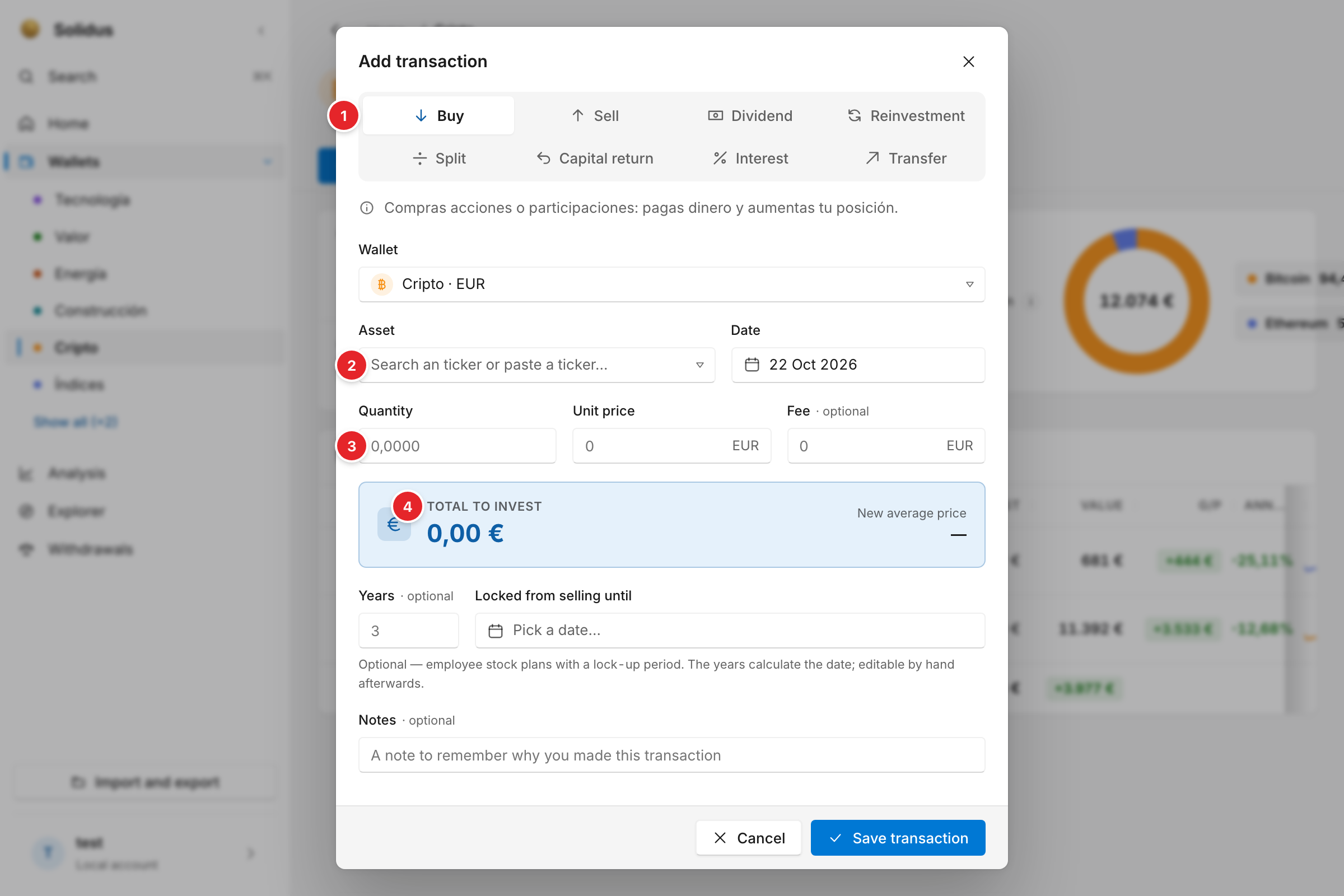
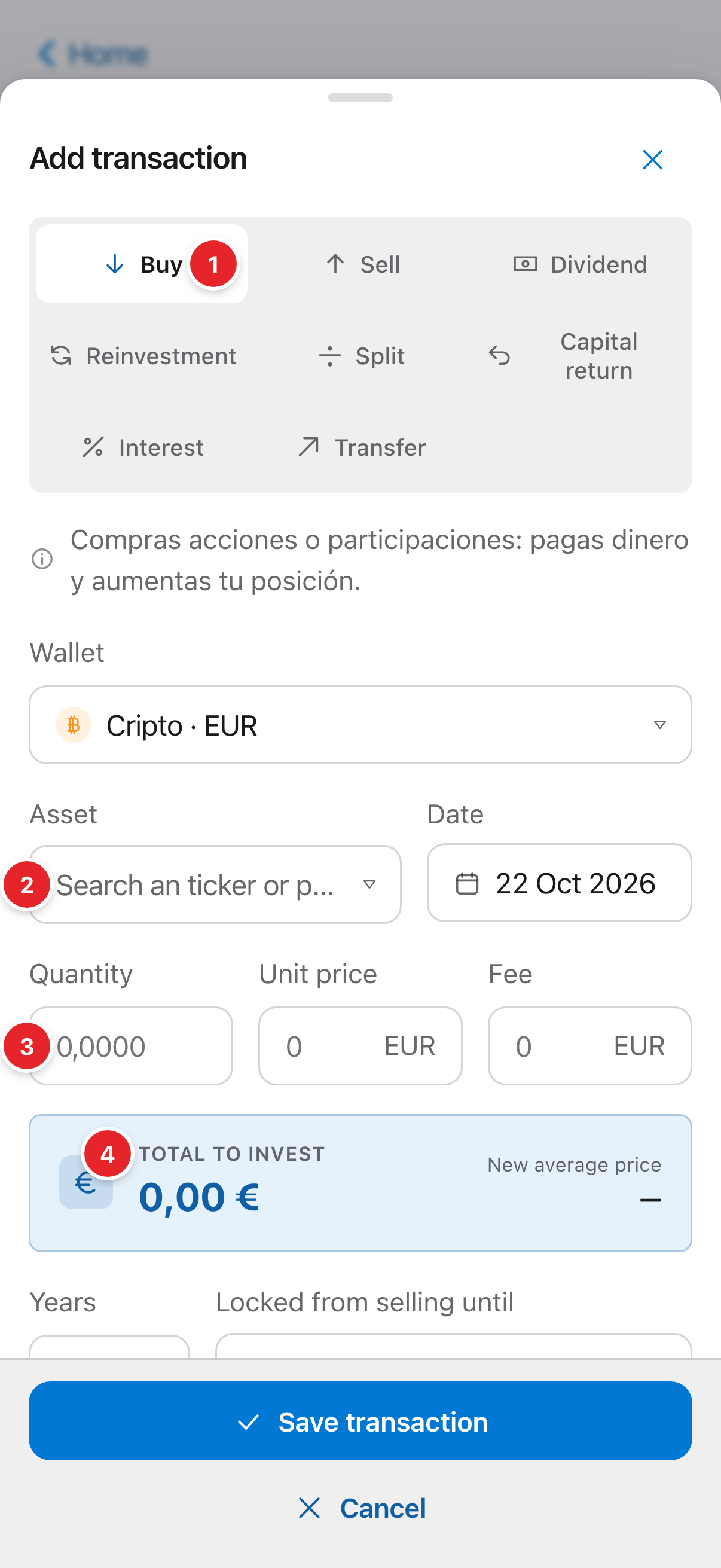
- The type of transaction. It changes the fields below.
- The asset: name or ticker (how to pick it).
- The quantity of units. Funds and crypto accept decimals.
- The summary of the effect: here, the total you invest and how your average price ends up.
3Save and check
Press “Save transaction”. Back in the wallet, the position already reflects it. If the asset has no quote, the app tells you and shows how to set its value by hand.
Screenshots are of the real app with sample data, not anyone’s own.
Common problems
I sold more than I had
Solidus won’t let you sell more units than you hold on that date. Check that an earlier purchase isn’t missing.
I made a mistake
Open the wallet, find the movement and edit or delete it. Figures recalculate by themselves.
I have hundreds of trades
Don’t type them one by one: import them from a file.